Not too long ago, “going to a meeting” meant walking into a physical room, shaking hands, and finding a seat at a table. Today, things look a lot different. Whether you are checking in with a teacher, interviewing for a part-time job, or participating in a club project, your “room” is often a small square on a computer screen.
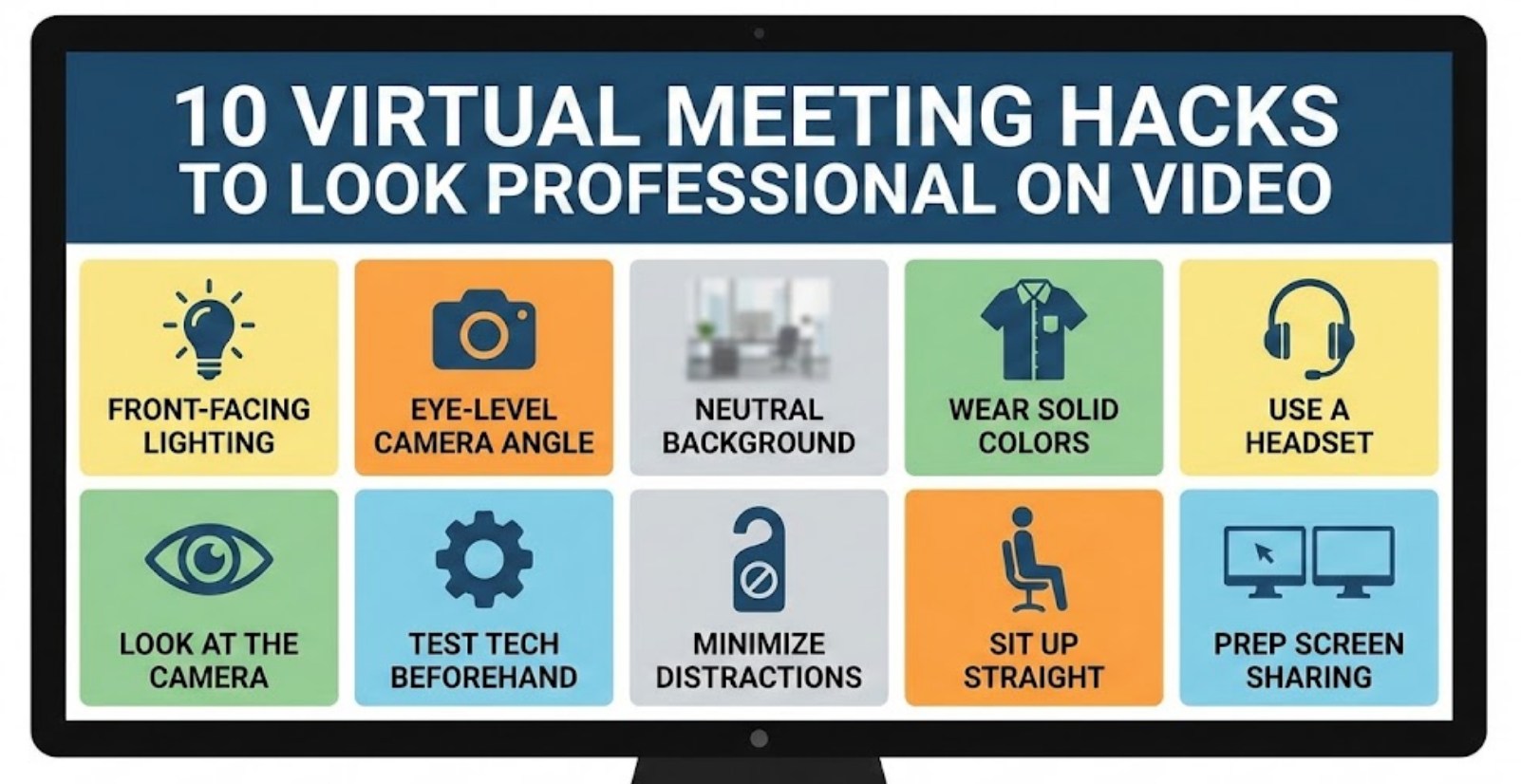
Even though you might be sitting in your bedroom wearing pajama pants, how you present yourself from the waist up matters. Looking professional on video isn’t about having an expensive studio setup; it’s about mastering a few simple tricks that show you are prepared and respectful. Here are ten hacks to help you look like a pro during your next virtual call.
1. Find Your Light
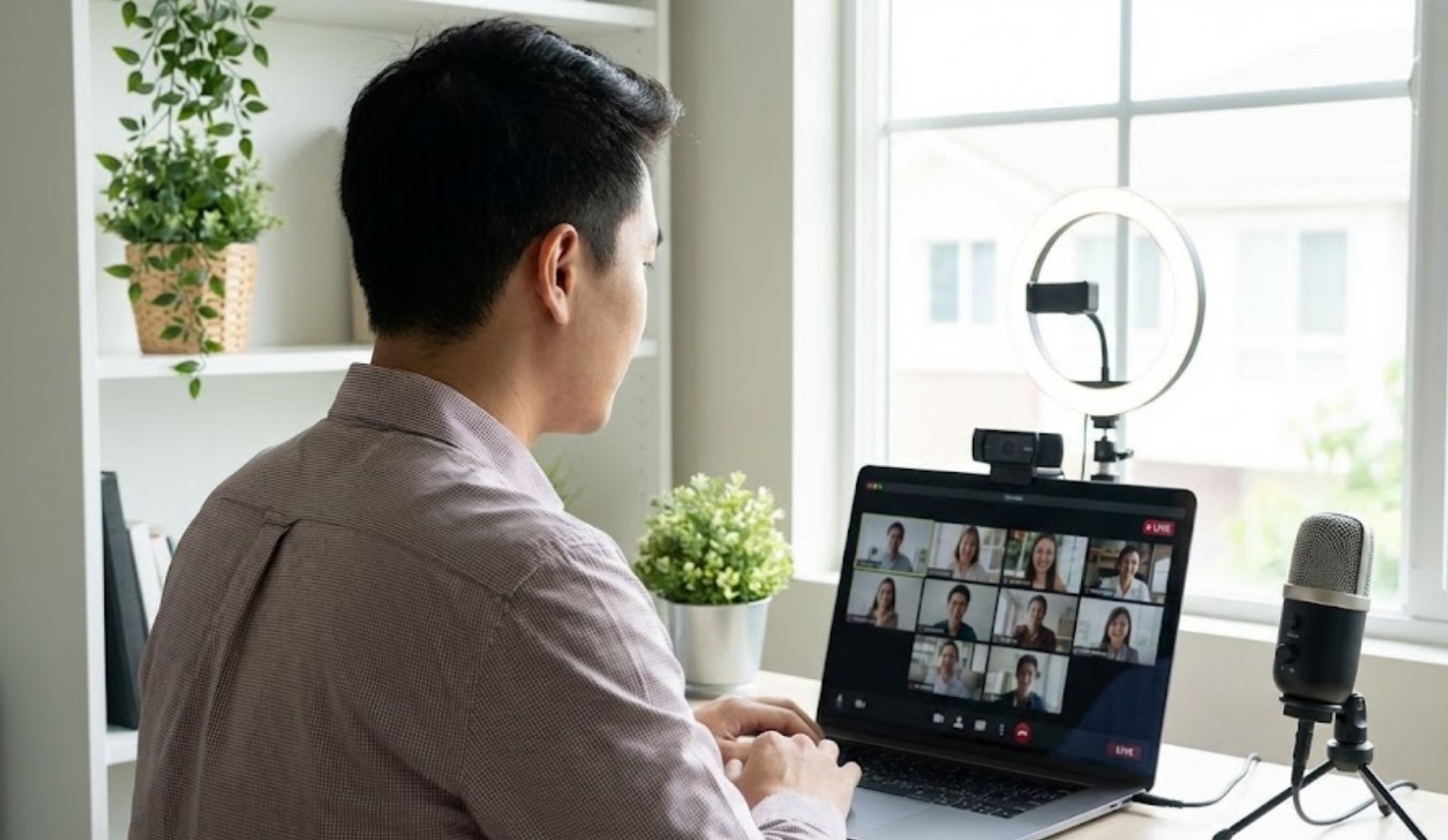
Lighting is the single most important factor in video quality. If your light source is behind you (like a bright window), you will look like a mysterious silhouette in a witness protection program.
-
- The Golden Rule: Always have the light hitting your face, not your back.
- The Window Hack: If possible, set up your laptop facing a window. Natural light is the most flattering and makes your video look crisp.
- The Lamp Trick: If it’s dark outside, place a desk lamp behind your computer screen so the light shines toward you.
2. Level Up Your Camera
Most people leave their laptops on the desk, which creates an awkward “up-the-nose” angle. This isn’t a great look for anyone. To look more professional, your camera should be at eye level. This mimics how you would look if you were standing in front of someone in real life.
How to fix it:
-
- Grab a few thick textbooks or a sturdy box.
- Stack them up until the camera lens is aligned with your eyes.
- Tilt the screen slightly so you aren’t cut off at the forehead.
3. Curate Your Background
You don’t need a fancy home office, but you do need to be mindful of what’s behind you. A pile of laundry or a messy bed can be distracting to others in the meeting. If you can’t find a plain wall, try to tidy up the space that is visible in the frame. If your room is a disaster zone and you’re short on time, use a “blur” filter or a simple, professional virtual background provided by the app.
4. Dress the Part
You don’t need a suit and tie, but you should avoid wearing what you slept in. Putting on a clean, solid-colored shirt can change your entire mindset. Stick to solid colors like blue, green, or burgundy. Avoid busy patterns like thin stripes or polka dots, as these can sometimes “vibrate” on digital screens and make people’s eyes hurt.
5. Master the “Digital Eye Contact”
This is the hardest hack to master. In a real conversation, we look at people’s eyes. In a virtual meeting, if you look at the person’s eyes on the screen, it looks to them like you are looking down. To make true eye contact, you have to look directly into the little camera lens at the top of your monitor.
Pro-Tip: Put a small sticky note with an arrow or a smiley face right next to your camera lens. It serves as a visual reminder of where to look when you are speaking.
6. Sound Matters More Than Sight
People will forgive a grainy video, but they won’t forgive bad audio. If your voice is echoing or there is a lot of background noise, it becomes exhausting for others to listen to you.
-
- Use Headphones: Even basic earbuds with a built-in mic are usually better than your laptop’s internal microphone.
- Mute is Your Friend: Always stay on mute when you aren’t talking. This prevents the sound of your dog barking or your sibling yelling from interrupting the flow of the meeting.
7. Framing the Shot
Don’t be a “floating head.” You want to be centered in the frame with a little bit of space above your head (about two fingers’ width). You should be visible from the chest up. If you are too close, it’s intimidating; if you are too far away, people can’t see your expressions.
8. Stabilize Your Internet
Nothing kills a professional vibe faster than a frozen screen or a “robot voice.” Before your meeting starts, try these quick fixes:
-
- Close extra browser tabs and apps that use data (like YouTube or gaming platforms).
- If your Wi-Fi is spotty, move as close to the router as possible.
- Ask others in your house to pause heavy streaming or downloads while you are on your call.
9. Use Positive Body Language
Since you are stuck in a small box, your non-verbal cues need to be a bit more intentional.
-
- Nod along: Show you are listening by nodding occasionally.
- Smile: A quick smile when you join or leave makes you seem approachable.
- Sit up straight: Slumping in your chair makes you look bored. Sitting up shows you are engaged.
10. The “Pre-Flight” Check
Most meeting apps like Zoom or Teams have a “preview” screen before you officially enter the room. Don’t click “Join” right away! Use that preview to check your hair, ensure there isn’t a stray sock on the floor behind you, and confirm your microphone is working.
By following these ten steps, you take control of your digital presence. It isn’t about being perfect; it’s about showing the people on the other side of the screen that you take the opportunity seriously. With just a stack of books and a well-placed lamp, you can transform from a “casual caller” into a polished professional.