
We have all been there. You press the power button on your laptop, go to the kitchen to grab a snack, come back, and it is still struggling to load the login screen. By 2026, this problem will likely be even more common. As software becomes more demanding and operating systems like Windows 11 require newer hardware, millions of perfectly functional laptops are being pushed toward the scrap heap.
But what if you didn’t have to buy a new computer? What if that dusty laptop from 2018 could feel as fast as it did the day you unboxed it? The secret weapon for 2026 is ChromeOS Flex. It is a free, lightweight operating system from Google designed to turn aging PCs and Macs into fast, secure, and modern machines.
The 2026 Tech Landscape
By the time we reach 2026, the tech world will look a bit different. Windows 10, which powered the majority of the world’s laptops for a decade, will have reached its official end-of-life. This means no more security updates and a higher risk of viruses. Meanwhile, the latest versions of macOS and Windows are becoming increasingly “heavy,” requiring massive amounts of RAM and high-end processors just to perform basic tasks.
For someone who just needs to get schoolwork done, browse the web, or stream movies, these heavy operating systems are often overkill. This is where ChromeOS Flex steps in. It strips away the background clutter that slows down traditional computers, focusing entirely on the speed and simplicity of the Google Chrome browser.
Why Make the Switch?
If your current laptop is lagging, it isn’t necessarily because the hardware is “broken.” Usually, it is because the software is too heavy for the parts inside. Switching to a cloud-first system provides several immediate benefits:
-
- Lightning Speed: Because the system is lightweight, your laptop will likely boot up in seconds rather than minutes.
- Better Battery Life: With fewer background processes running, your battery doesn’t have to work as hard, giving you more time away from the wall outlet.
- Tight Security: ChromeOS Flex is designed to be incredibly difficult to hack. It uses “sandboxing,” which means if one tab gets infected with a virus, it cannot spread to the rest of the system.
- Sustainability: By keeping your old laptop running, you are preventing it from becoming e-waste, which is a huge win for the planet.
What You Will Need
Before you dive in, you need to make sure you have a few basic items ready. Luckily, the requirements are very low, which is the whole point of the software.
-
- A Laptop: Most Intel or AMD-based PCs or Macs from the last 10 years will work.
- A USB Drive: You need a thumb drive with at least 8GB of space. Keep in mind that everything on this drive will be erased during the process.
- The Chrome Browser: You will need to access the Chrome Web Store on a working computer to create your installer.
- Internet Access: Since most of your files will live in the cloud, a steady Wi-Fi connection is key.
How to Install ChromeOS Flex
The process is surprisingly straightforward. You don’t need to be a computer genius to pull this off. Follow these steps to transform your machine:
-
- Install the Utility: On a working computer, go to the Chrome Web Store and search for the “Chromebook Recovery Utility” extension. Add it to your browser.
- Create the Bootable USB: Open the utility, plug in your USB drive, and select “ChromeOS Flex” from the list of models. Follow the prompts to download the software onto the drive.
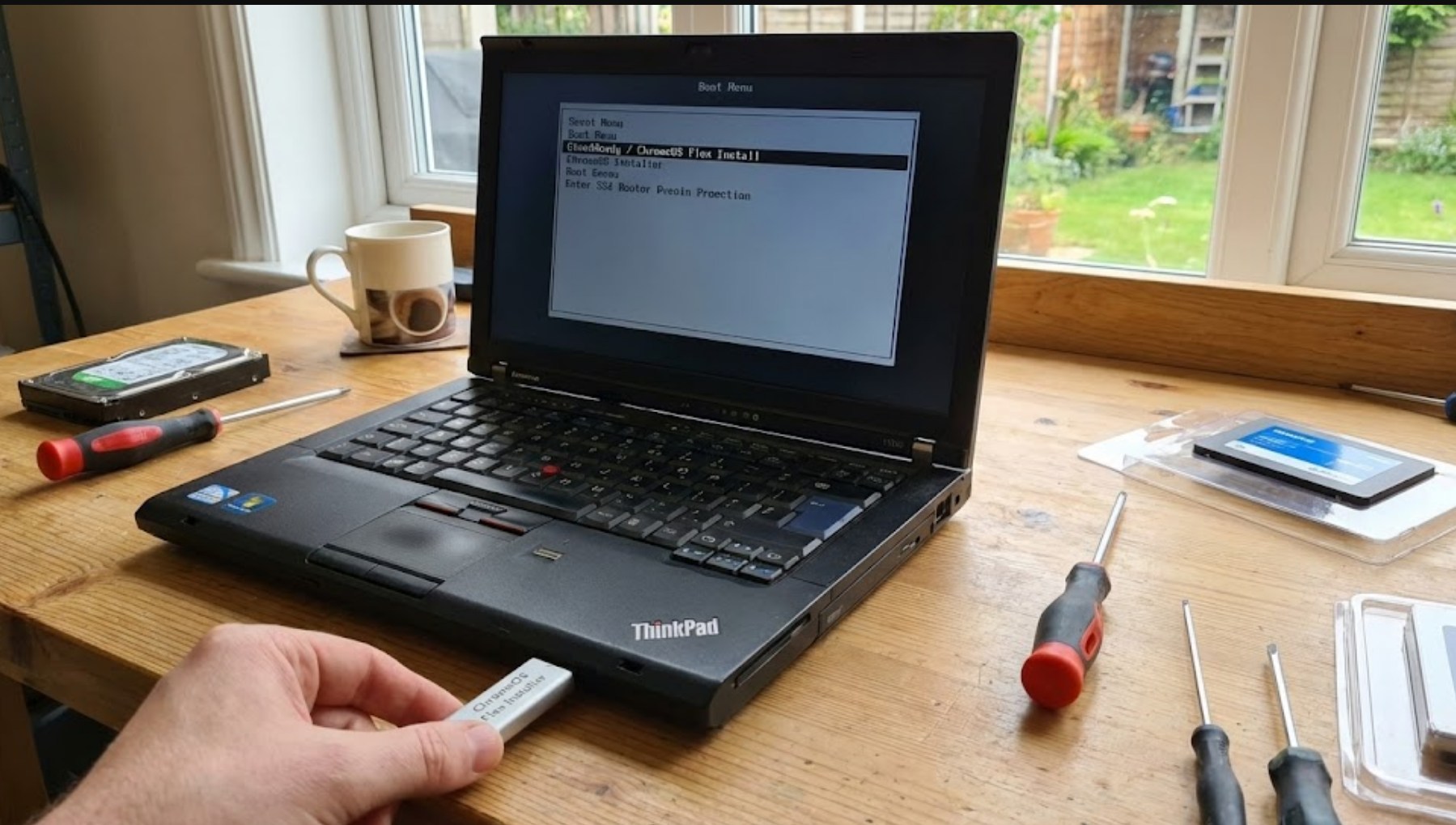
- Boot from USB: Plug the finished USB into your old laptop. When you turn the laptop on, you need to hit a specific key (usually F12, F2, or Esc) to enter the boot menu. Select the USB drive as the starting point.
- Try it Out: One of the best features is that you can “Live Boot.” This lets you run the OS directly from the USB without deleting your old files yet. You can test your Wi-Fi, keyboard, and sound to make sure everything works.
- Install: If you like what you see, click “Install ChromeOS Flex.” Warning: This will erase everything on your hard drive, so make sure your photos and documents are backed up first!
Managing Expectations
While ChromeOS Flex is a miracle worker for old hardware, it isn’t a perfect 1:1 replacement for every user. It is built for the web. This means you will be doing almost everything inside the browser or through web apps.
You should be aware that ChromeOS Flex does not currently support the Google Play Store. This means you won’t be able to download Android apps or heavy-duty games like Valorant or Call of Duty. However, for 90% of what most people do—using Google Docs, watching YouTube, checking social media, or attending Zoom calls—it is more than enough.
The Verdict for 2026
As we move further into the middle of the decade, the pressure to buy new gadgets will only increase. But being smart with technology means knowing when you can get more life out of what you already own. ChromeOS Flex turns a “clunker” into a specialized tool for productivity and entertainment.
Instead of asking for a new laptop for your next birthday, try this upgrade first. You might be surprised to find that the “new” computer you were looking for was already sitting on your desk, just waiting for the right software to set it free.
