
If you have spent even five minutes on YouTube or listening to a podcast recently, you have likely been bombarded with ads for VPNs. The marketing is always the same: a mysterious hooded figure is trying to steal your data, but with one click of a button, you become “invisible.” They make it sound like a VPN is a magical invisibility cloak that hides you from hackers, the government, and your Internet Service Provider (ISP).
Here is the cold, hard truth: a VPN is not a silver bullet. While it is a great tool for changing your location to watch a different country’s Netflix library or hiding your traffic from a shady public Wi-Fi network, it is only one small piece of the puzzle. If you are truly concerned about your digital footprint, relying solely on a VPN is like putting a high-tech deadbolt on your front door but leaving all your windows wide open and your name written in giant letters on the lawn.
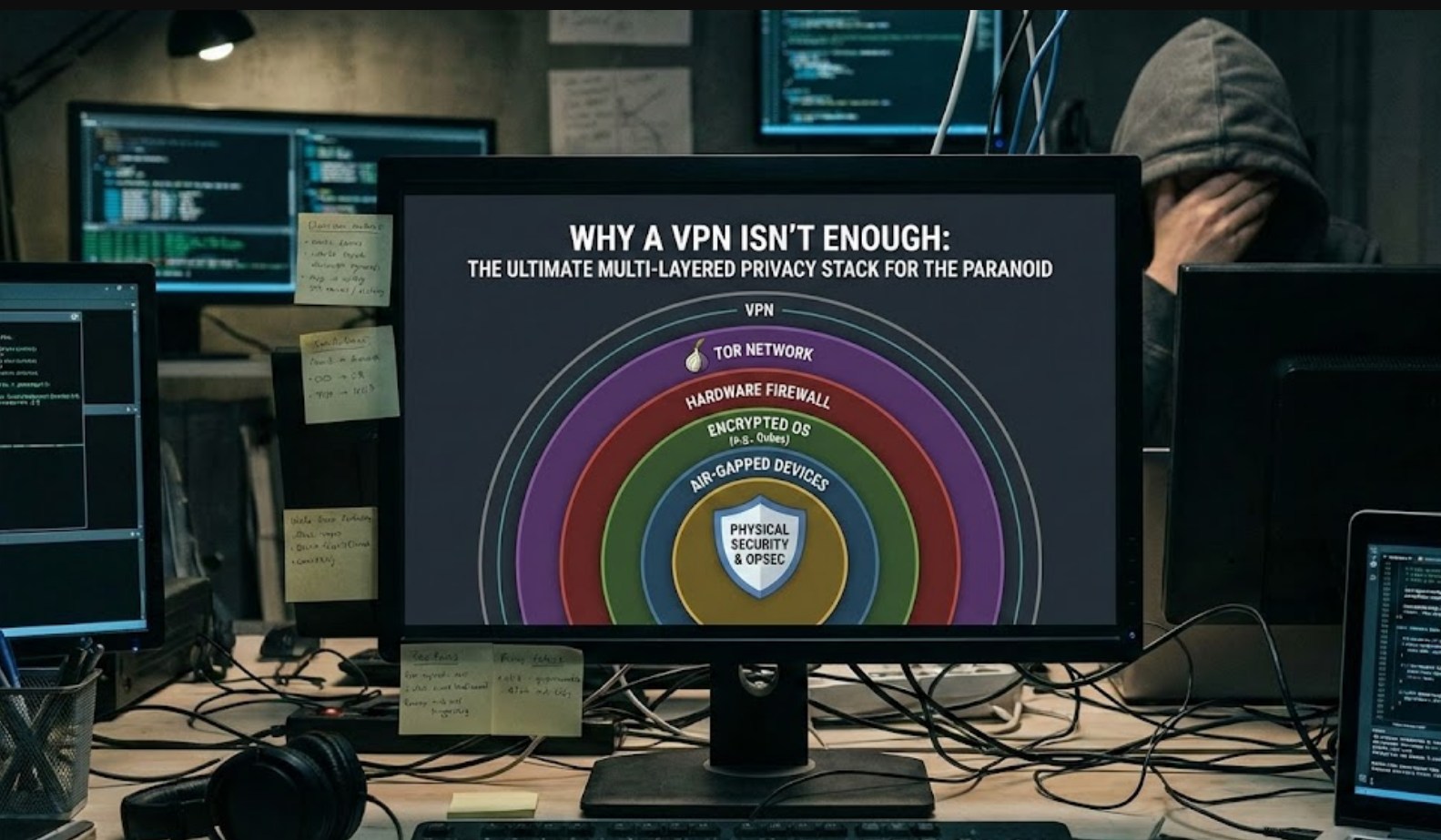
To truly protect yourself, you need what experts call a “Multi-Layered Privacy Stack.” This is a series of tools and habits that work together to ensure that even if one layer fails, your identity remains secure. Let’s break down how to build a defense that would make even the most paranoid tech expert proud.
Why the VPN Isn’t Enough
Before we build the stack, we have to understand the VPN’s limitations. A VPN (Virtual Private Network) essentially creates a private tunnel for your data. Your ISP can see that you are using a VPN, but they can’t see what websites you are visiting. However:
-
- Tracking Cookies: A VPN does nothing to stop “cookies” that websites plant on your computer. If you are logged into Google or Facebook while using a VPN, they still know exactly who you are.
- Browser Fingerprinting: Websites can identify you based on your screen resolution, your battery level, the fonts you have installed, and your browser version. A VPN doesn’t hide these details.
- The VPN Provider: You are essentially moving your trust from your ISP to the VPN company. If that company keeps logs of your activity, your “privacy” is just an illusion.
Layer 1: The Browser (Your Primary Window)
The first thing you need to change is how you access the web. Google Chrome is the most popular browser in the world, but it is also a data-harvesting machine. To start your privacy stack, you need a browser that respects you.
-
- Brave Browser: Great for beginners. It blocks ads and trackers by default and is built on the same engine as Chrome, so all your extensions will still work.
- Firefox (Hardened): Firefox is great, but to make it truly private, you have to “harden” it by diving into the settings and disabling telemetry (data sharing with Mozilla).
- LibreWolf: This is a version of Firefox that comes with all the privacy settings turned up to the maximum level out of the box.
Regardless of which browser you choose, you should install the uBlock Origin extension immediately. It is widely considered the best ad and tracker blocker available.
Layer 2: Searching Without Being Followed
If you are still using Google Search, you are giving away your most private thoughts, health concerns, and future plans. Google builds a profile on you based on every “How do I…” or “Where can I buy…” query you type.
Instead, switch your default search engine to:
-
- DuckDuckGo: The most famous alternative. It doesn’t track your search history.
- Startpage: This is a great “middle ground.” It gives you Google’s search results but acts as a middleman, so Google never knows it was you asking the question.
- SearX: For the truly paranoid, this is a metasearch engine that pulls results from everywhere while stripping away all identifying data.
Layer 3: The “Burner” Mindset for Email and Communication
Your email address is your digital Social Security number. It’s how you sign up for everything, and it’s how companies link your different accounts together. If you are using Gmail or Outlook, your emails are being scanned for advertising data.
To break this link, you need to use Encrypted Email and Alias Services:
-
- ProtonMail or Tuta: These services provide end-to-end encryption. This means the company itself cannot read your emails even if they wanted to.
- SimpleLogin or AnonAddy: These allow you to create “aliases.” Instead of giving a website your real email, you give them a random address like
[email protected]. Any mail sent there is forwarded to you. If that site starts spamming you or gets hacked, you simply delete that one alias.
For messaging, move away from SMS (which is unencrypted) and WhatsApp (which is owned by Meta). Use Signal. It is the gold standard for private communication because it stores almost zero metadata about its users.
Layer 4: Hardening Your Operating System
Most people don’t realize that Windows 10 and 11 are constantly sending “telemetry” data back to Microsoft. They track which apps you open, how long you use them, and sometimes even what you type.
If you are serious about privacy, you have three options:
-
- Privacy Tools for Windows: Use tools like “O&O ShutUp10++” to disable the tracking features Microsoft hides in the settings.
- Linux: Switching to an operating system like Linux Mint or Pop!_OS is a massive jump in privacy. These systems are open-source, meaning thousands of people have checked the code to ensure there are no backdoors or hidden trackers.
- Tails (The Nuclear Option): If you are doing something incredibly sensitive, you can run Tails from a USB stick. Once you unplug the stick, every single trace of what you did on that computer vanishes forever. It’s as if you were never there.
Layer 5: DNS—The Internet’s Phonebook
Whenever you type a website name (like youtube.com), your computer asks a DNS server for the IP address. By default, your ISP handles this, meaning they have a log of every site you’ve ever visited.
Even with a VPN, it is good practice to use a private DNS. You can change this in your computer or router settings to:
-
- Quad9 (9.9.9.9): Focused on security and privacy.
- NextDNS: This is like a firewall for your entire internet connection. You can use it to block ads and trackers at the network level before they even reach your device.
The Ultimate Checklist for the Privacy-Conscious
To summarize, if you want to move beyond just using a VPN, follow this hierarchy of protection:
-
- Swap your browser: Move from Chrome to Brave or Firefox + uBlock Origin.
- Change your search engine: Use DuckDuckGo or Startpage.
- Secure your accounts: Use a password manager (like Bitwarden) so you don’t use the same password twice.
- Use 2FA (Two-Factor Authentication): But don’t use your phone number. Use an app like Aegis or a physical hardware key like a YubiKey.
- Mask your identity: Use email aliases for every new account you create.
- Check your DNS: Ensure your ISP isn’t logging your requests through their default servers.
Is This Overkill?
For the average person, doing all of this might feel like a lot of work. You might ask, “I’m not a criminal, so why do I need to hide?”
Privacy isn’t about having something to hide; it’s about having something to protect. In the digital age, your data is your identity, your money, and your future. Companies use your data to manipulate what you buy and even what you think. By building a multi-layered stack, you aren’t just hiding from “bad guys”—you are taking back ownership of your own digital life.
A VPN is a great first step, but it’s just that: a step. True privacy is a marathon, and the more layers you add to your defense, the harder it becomes for the world to turn you into a product.
