
Not too long ago, if you wanted to make a high-quality video, you needed a massive budget. You needed expensive cameras, a studio with green screens, and a powerful computer that cost more than a used car just to run editing software. If you didn’t have those things, your options were pretty limited. But things have changed rapidly.
Today, the barrier between having a great idea and seeing it on a screen has almost disappeared. Artificial Intelligence (AI) has stepped into the creative world, not to replace humans, but to act as a powerful assistant. Whether you are trying to grow a YouTube channel, create a viral TikTok, or just finish a school project with some extra flair, AI tools are making it possible to do in minutes what used to take weeks.
Here are five AI video tools that are currently redefining how we create content.
1. HeyGen: The Power of Digital Avatars
Have you ever wanted to make a video but felt a bit camera-shy? Or maybe you didn’t have the right lighting to make yourself look professional? HeyGen is solving this problem by using AI to create “talking photos” and digital avatars.
With HeyGen, you can choose a realistic human avatar, type in a script, and the AI will generate a video of that person speaking your words with perfect lip-syncing. It can even translate your video into over 40 different languages while keeping your original voice.
Common uses for HeyGen include:
-
- Creating educational tutorials without needing to film yourself.
- Making personalized video messages for friends or followers.
- Translating content for a global audience without needing a translator.
2. Runway (Gen-2): From Imagination to Reality
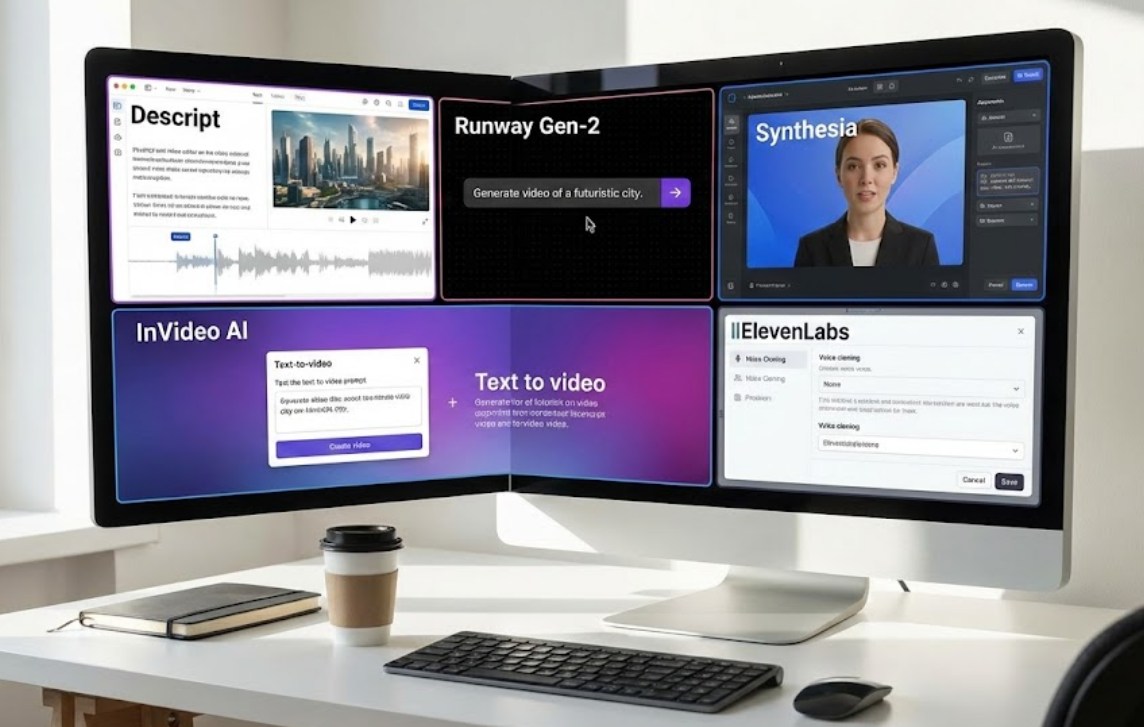
Runway is often described as the “Swiss Army Knife” of AI video. Their most famous tool, Gen-2, allows users to create entire video clips from a simple text prompt. If you type “a cinematic shot of a futuristic city in the rain,” the AI will generate a few seconds of high-definition video that looks like it came straight out of a big-budget sci-fi movie.
What makes Runway stand out is its ability to edit existing videos with ease. You can use their “Inpainting” feature to brush over an object in a video (like a trash can in the background) and have the AI remove it instantly, filling in the gap perfectly. It’s like magic for video editors.
3. Descript: Editing Video Like a Word Document
For many creators, the hardest part of making content is the editing process. Traditionally, this involves looking at long “timelines” and cutting tiny slivers of audio and video. Descript has completely flipped this process on its head.
When you upload a video to Descript, it automatically transcribes everything spoken into text. To edit the video, you simply edit the text. If you delete a sentence from the transcript, the AI automatically deletes that section of the video.
Some of Descript’s most impressive features include:
- Overdub: If you realize you made a mistake in your speech, you can type the correct word, and the AI will “speak” it in your own voice.
- Studio Sound: It can take a recording made on a cheap phone and make it sound like it was recorded in a professional studio.
- Filler Word Removal: With one click, you can remove every “um,” “uh,” and “like” from your entire video.
4. InVideo AI: The Instant Video Generator
If you are staring at a blank screen and have no idea where to start, InVideo AI is the tool for you. This platform is designed for speed. You can give it a broad prompt, such as “Make a 2-minute video about the history of space exploration for YouTube,” and the AI gets to work.
It will write the script, find relevant stock footage from a library of millions of clips, add background music, and generate a voiceover. Within minutes, you have a finished product that you can then tweak and customize. It takes the “busy work” out of content creation so you can focus on the big picture.
5. CapCut: The AI in Your Pocket
While you might know CapCut as the app everyone uses for TikTok, it is actually one of the most advanced AI video editors available for mobile users. CapCut uses AI to simplify tasks that used to be incredibly difficult for beginners.
For example, its “Auto-Captions” feature uses speech recognition to generate stylized, animated subtitles in seconds. It also features “Auto-Reframe,” which can take a horizontal video and intelligently crop it into a vertical format, making sure the main subject stays in the center of the frame. Because it is so accessible and free to use, it has become the go-to tool for a new generation of creators who do everything on their smartphones.
The Future of Creating
It is important to remember that while these tools are incredibly powerful, they are still just tools. An AI can generate a beautiful sunset or a perfect voiceover, but it can’t come up with a unique perspective or a heartfelt story. The best content still comes from human creativity.
The real shift is that talent is no longer limited by technical skills. You don’t need to spend five years learning how to use complex editing software to be a filmmaker. If you have a story to tell or a lesson to teach, these AI tools are here to help you get that message out to the world faster and more creatively than ever before. The only question left is: what are you going to create first?
