
Imagine waking up one morning, grabbing your phone to check your notifications, and realizing you’ve been locked out of everything. Your Instagram password has been changed, your private emails are being read by a stranger, and your gaming credits have been drained. This isn’t a scene from a movie; it’s a daily reality for thousands of people who rely on a single password to protect their digital lives.
In the world of cybersecurity, “hardening” an account means making it as difficult as possible for a hacker to break in. The most effective tool we have for this is Two-Factor Authentication (2FA). Think of your password as the front door lock to your house. 2FA is the high-tech security system, the deadbolt, and the guard dog that stands behind that door. Even if someone steals your key, they still can’t get inside.
The Basics: What is 2FA?
At its core, 2FA requires two different types of “proof” to verify you are who you say you are. Security experts break these down into three categories:
-
- Something you know: Like a password or a PIN.
- Something you have: Like a smartphone or a physical security key.
- Something you are: Like a fingerprint or facial recognition.
By combining at least two of these, you create a barrier that a remote hacker—likely sitting thousands of miles away—simply cannot cross.
Layer 1: The Entry Level (SMS and Email)
Most people start their security journey here. When you log in, the website sends a six-digit code to your text messages or your inbox. While this is significantly better than having no protection at all, it is the “weakest” form of 2FA.
Why you should use it:
-
- It is incredibly easy to set up.
- It doesn’t require downloading extra apps.
- It works on almost every platform.
The Risk: Sophisticated hackers can perform “SIM swapping,” where they trick your cell phone provider into moving your phone number to a device they control. If they have your number, they get your codes. Use SMS 2FA for your social media if it’s the only option, but try to upgrade for your more sensitive accounts.
Layer 2: The Gold Standard (Authenticator Apps)
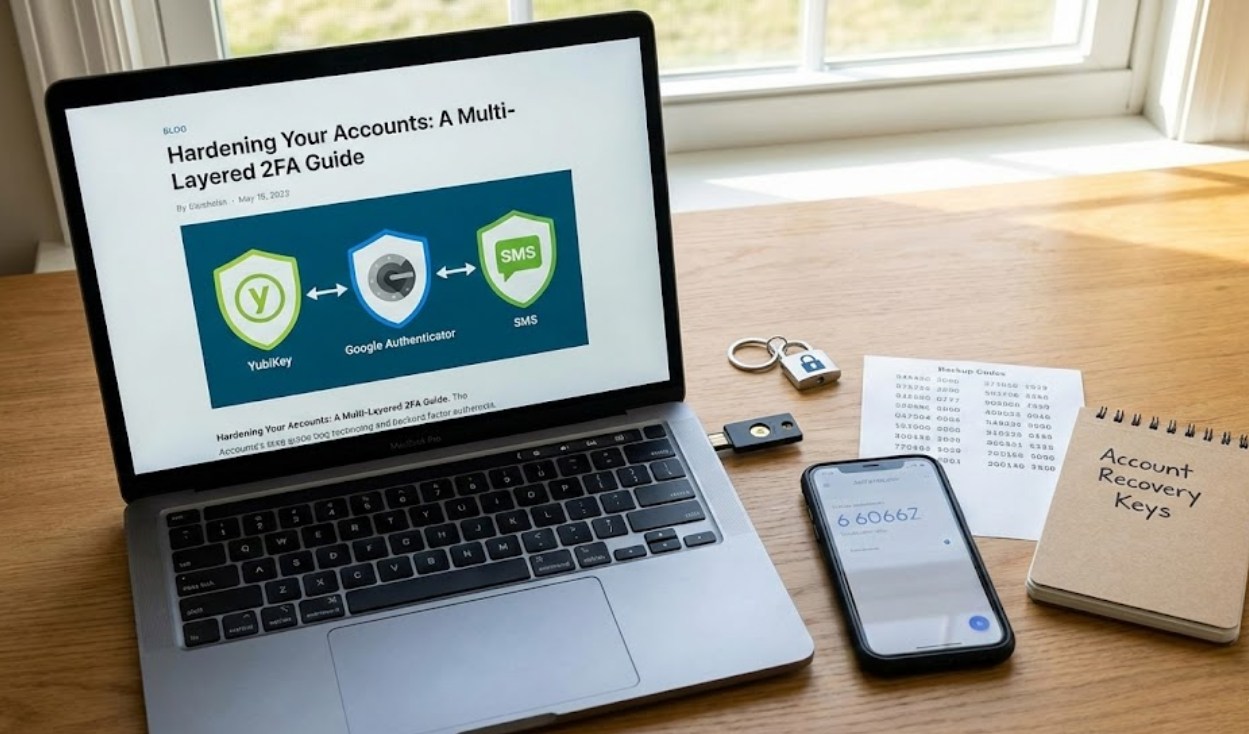
If you want to get serious about hardening your accounts, you need an Authenticator App. Examples include Google Authenticator, Microsoft Authenticator, or Authy. These apps generate a new, random six-digit code every 30 seconds.
How to set it up:
-
- Download the app of your choice from the official App Store or Play Store.
- Go to the security settings of your account (like Discord, Epic Games, or Gmail).
- Select “Authenticator App” as your 2FA method.
- Scan the QR code that appears on your computer screen using the app on your phone.
- Enter the code shown in the app to “pair” the devices.
The beauty of this method is that the code is generated locally on your phone. It isn’t being sent through the airwaves where it can be intercepted. Even if a hacker has your password, they would physically need to hold your unlocked phone in their hands to get into your account.
Layer 3: The Fortress (Hardware Security Keys)
For the accounts you absolutely cannot afford to lose—like your primary email or your banking info—hardware security keys are the ultimate defense. These are small USB or NFC devices, like a YubiKey, that you carry on your keychain.
When you try to log in, the site will prompt you to “insert your key.” You plug it into your laptop or tap it against your phone. This is the highest level of security because it is immune to “phishing.” A fake website might trick you into typing in an SMS code, but it cannot trick a physical piece of hardware.
The “Oh No” Plan: Backup Codes
One of the biggest fears people have about 2FA is: “What if I lose my phone?” If you lose your phone and haven’t prepared, you could be locked out of your own accounts forever. This is where Backup Codes come in.
When you set up 2FA, most sites will give you a list of 10-12 “recovery codes.”
-
- Do not take a screenshot and leave it in your photo gallery.
- Do not save them in a plain text file on your desktop.
- Do print them out and hide them in a drawer.
- Do write them down in a physical notebook.
These codes are your “Get Out of Jail Free” cards. If your phone ends up at the bottom of a lake, these codes are the only way to prove to the website that you are the rightful owner.
Pro-Tips for Digital Hygiene
Hardening your accounts is a marathon, not a sprint. You don’t have to do everything today. Start with your most important account—usually your email, because your email is the “skeleton key” used to reset passwords for every other site.
-
- Check for leaks: Visit “Have I Been Pwned” to see if your email has been involved in a data breach. If it has, change those passwords immediately.
- Use a Password Manager: It is impossible to remember 50 unique, complex passwords. Use a manager like Bitwarden or 1Password to store them, then protect that manager with the strongest 2FA possible.
- Turn off SMS if possible: Once you have an Authenticator app set up, disable the SMS option to prevent SIM-swapping attacks.
By layering your security, you transform yourself from an easy target into a digital fortress. It takes an extra five seconds to log in, but that small inconvenience is a tiny price to pay for the peace of mind that your digital life is safe.
