
If you have spent your hard-earned money or saved up your birthday cash to build a high-end gaming or productivity setup, you know the feeling of pride that comes with it. There is nothing quite like the click of a mechanical keyboard, the smooth glide of a premium mouse, or the immersive sound of a studio-grade headset. However, after a few months of intense gaming sessions or late-night study marathons, your gear starts to show the wear. Fingerprint oils, dust, skin cells, and the occasional snack crumb can turn your pristine setup into a hygiene nightmare.
Cleaning high-end gear isn’t just about looks; it is about performance and longevity. Dust can clog mechanical switches, and grime on a mouse sensor can cause jitter. But before you grab a bottle of generic window cleaner and a paper towel, stop. High-end peripherals require a delicate touch. One wrong move could strip the coating off your mouse or short-circuit your keyboard.
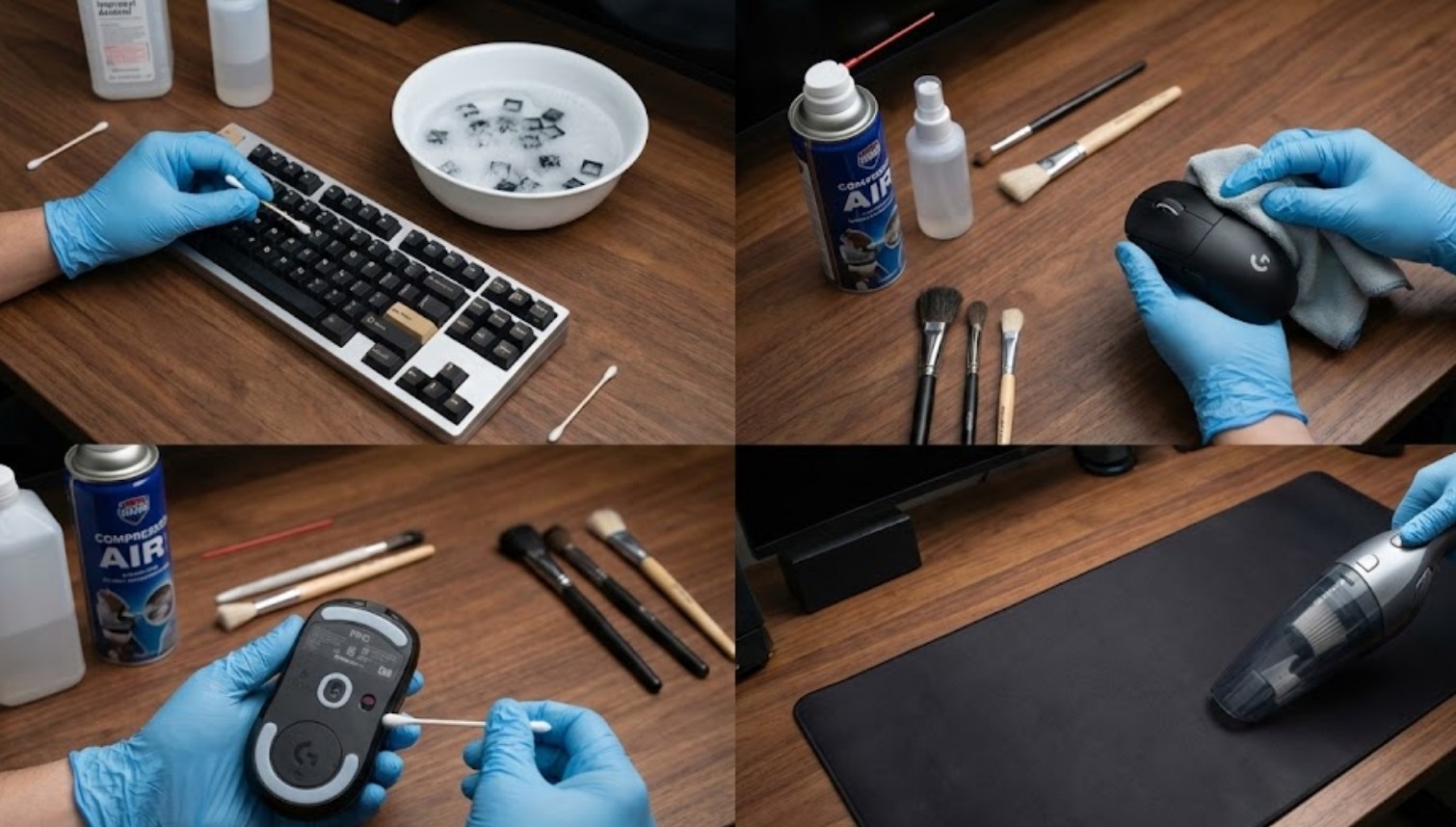
The Essential Cleaning Kit
Before you dive in, gather the right tools. Using the wrong materials is the fastest way to ruin expensive equipment.
-
- 70% Isopropyl Alcohol: This is the gold standard for electronics because it evaporates quickly. Avoid 100% alcohol as it can be too harsh for some plastics, and avoid anything below 70% because it contains too much water.
- Microfiber Cloths: These are soft and won’t scratch delicate surfaces. Never use paper towels, as they are surprisingly abrasive.
- Compressed Air (Canned Air): Perfect for blowing out debris from hard-to-reach places.
- Q-tips (Cotton Swabs): Essential for detailing small crevices.
- A Keycap Puller: If you have a mechanical keyboard, this is a must-have to avoid snapping the stems of your switches.
- Dish Soap: Only for cleaning removable parts like keycaps.
General Safety Rules
Before touching any component, follow these three non-negotiable rules:
-
- Unplug Everything: Never clean a peripheral while it is powered on. This prevents electrical shorts.
- Apply Liquid to the Cloth, Not the Device: Never spray anything directly onto your gear. Liquid can seep into the internals and cause permanent damage.
- Be Patient: Let everything dry completely—usually longer than you think—before plugging it back in.
Deep Cleaning the Mechanical Keyboard
The keyboard is usually the dirtiest part of any setup. To do a true deep clean, you need to go beyond just wiping the surface.
-
- Take a Photo: Before removing anything, take a picture of your keyboard layout. You will thank yourself later when you aren’t guessing where the “Page Down” key goes.
- Remove the Keycaps: Use your keycap puller to gently lift each cap. Once they are off, put them in a bowl of warm water with a drop of dish soap. Let them soak for 30 minutes, then scrub them with a soft brush, rinse, and let them air dry for at least 24 hours.
- Clear the Deck: With the caps gone, use canned air to blow out the hair and crumbs stuck between the switches. Hold the keyboard at an angle so the debris falls out rather than deeper in.
- Detailing: Use a Q-tip lightly dampened with isopropyl alcohol to wipe the plate between the switches.
- Reassemble: Only once the keycaps are bone-dry should you snap them back onto the switches.
Rescuing Your Mouse
Your mouse lives in your palm, meaning it absorbs a lot of sweat and oil. Over time, this creates a “glossy” look on matte finishes and builds up gunk in the seams.
-
- The Shell: Dampen a microfiber cloth with alcohol and wipe down the main buttons and the palm rest. For the seams where the plastic pieces meet, use a dry toothpick to gently scrape out any accumulated grime.
- The Sensor: This is the most sensitive part. Do not use a cloth. Instead, take a dry Q-tip and very gently twirl it inside the sensor hole to pick up dust. If there is a stubborn hair, use a quick blast of compressed air.
- The Feet (Skates): Check the bottom of the mouse. If the PTFE feet have a ring of gunk around them, wipe it away with alcohol. This will instantly make the mouse feel smoother on your pad.
Refreshing Your Headset
Headsets are tricky because they often involve fabric, leather, and foam. Since they sit on your ears and face, keeping them clean is vital for skin health.
If your headset has removable ear pads, take them off. For “protein leather” (synthetic leather), a simple wipe with a damp cloth is enough. If they are fabric or velour, you can often hand-wash them with a tiny bit of laundry detergent and let them air dry.
For the microphone, use a very small amount of alcohol on a cloth to wipe the boom arm. If there is a foam “pop filter” over the mic, you can wash it in warm water or simply replace it for a few dollars.
Maintenance Habits
Deep cleaning should happen every three to six months, but you can make the process easier by practicing good habits. Try to avoid eating at your desk, and if you do, wash your hands before jumping back into a game. A quick 30-second wipe-down with a microfiber cloth once a week will prevent oil build-up from becoming a permanent stain.
By taking the time to treat your high-end peripherals with care, you aren’t just making them look better—you are ensuring that they perform at their peak for years to come. Your gear supports your hobby; the least you can do is keep it in top shape.
